Glittery Bulbs: Seamless Vector Patterns for Real Projects
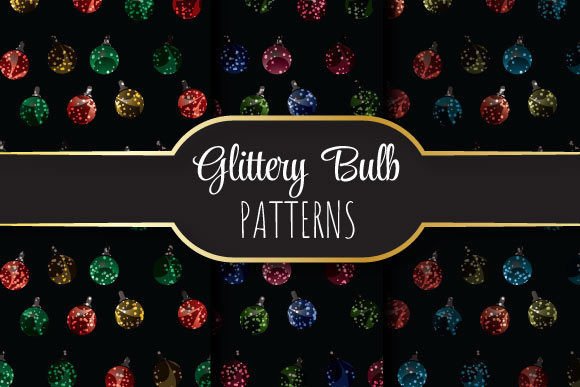
Glittery Bulbs isn’t just another decorative asset—it’s a precision-crafted set of seamlessly repeating vector patterns designed for professionals who need polish, scalability, and reliability without compromise. Each pattern is built to tile flawlessly across any surface, from business cards to billboard backdrops, thanks to its mathematically precise repeat structure and high-resolution output.
Why Seamless Repeats Matter More Than You Think
A truly seamless vector pattern eliminates visible seams, gaps, or misalignments when tiled—something many free or low-tier assets fail at. With Glittery Bulbs, the repeat logic is embedded directly into the vector paths, not faked with raster tricks or manual offsets. That means whether you’re filling a 2-inch label or a 48-inch trade show banner, the glitter effect stays consistent, crisp, and intentional.
This level of technical integrity saves time in two key ways: first, by removing the need to manually adjust or mask edges in design software; second, by avoiding costly rework during print production—especially critical when working with metallic inks, foil stamping, or textured substrates where alignment errors become glaringly obvious.
Designed for Real-World Output Specifications
Each Glittery Bulbs file delivers exactly what professional printers and digital platforms require: a 12 × 12 inch canvas (3600 × 3600 pixels), rendered at true 300 dpi. That’s not upscaled or interpolated—it’s native resolution, preserving fine glitter detail without pixelation or blur.
The EPS 10 format ensures full editability in Adobe Illustrator and compatibility with legacy prepress workflows. Meanwhile, the three included JPEGs serve distinct purposes: one optimized for web previews (sRGB, medium compression), one for client presentations (high-quality, embedded color profile), and one for quick mockup integration (RGB, flattened, no transparency). No guesswork—just purpose-built variants in one zip.
Who Benefits—and How
Graphic designers use Glittery Bulbs to elevate brand collateral—think holiday packaging, luxury product labels, or invitation suites—without building complex gradients or layering dozens of sparkles manually. One drag-and-drop pattern replaces hours of custom illustration work, while maintaining full control over color, scale, and rotation.
Small business owners and marketers rely on it for time-sensitive campaigns: launching a limited-edition product line, designing social media carousels with cohesive visual rhythm, or producing printed mailers that stand out in a crowded mailbox. Because the pattern scales infinitely and adapts to Pantone spot colors or CMYK builds, there’s no redesign needed when shifting from Instagram Stories to direct mail.
Educators and presenters find value in using Glittery Bulbs as subtle background textures in slide decks—not as flashy distractions, but as refined visual anchors that guide attention toward content. The even distribution of light-refracting elements helps maintain readability while adding quiet sophistication, especially on dark-mode slides or projector displays.
Freelance illustrators and surface pattern designers treat Glittery Bulbs as a foundational layer—overlaying hand-drawn motifs, integrating with watercolor scans, or using the vector paths as clipping masks for texture experiments. Its clean construction makes it easy to isolate individual glitter units for custom arrangements, unlike raster-based “glitter brushes” that lose fidelity at larger sizes.
Practical Integration Tips
Start by opening the EPS file in Illustrator and checking the artboard boundaries: the pattern is built to repeat perfectly edge-to-edge, so avoid cropping or resizing the artboard unless you intend to modify the tile size. To change color globally, select all elements and apply a global swatch—most glitter units are grouped logically and use non-overlapping paths, making recoloring fast and predictable.
For packaging projects, test the repeat in a dieline file by duplicating the pattern across multiple panels. Because Glittery Bulbs uses vector-based geometry—not bitmap noise—the alignment remains exact, even when folded or wrapped around curved surfaces like cosmetic tubes or candle jars.
If you’re preparing files for a printer unfamiliar with vector repeats, export a large-area JPEG (e.g., 24 × 24 inches) at 300 dpi and include clear notes about bleed and tiling behavior. Most commercial printers recognize EPS-native repeats, but documentation prevents assumptions.
When to Consider Alternatives
Glittery Bulbs excels in controlled, intentional applications—but it’s not a universal solution. If your project demands organic, irregular sparkle placement (like a hand-painted starfield or randomized confetti burst), a procedural texture generator or custom script may offer more flexibility. Similarly, for motion graphics or interactive web use, SVG-based glitter animations might better suit dynamic contexts where scaling happens in-browser.
Also note: because Glittery Bulbs is built as a single-repeat unit, it doesn’t include multi-layered depth effects (e.g., foreground glitter + midground shimmer + background haze). Those require compositing—so if your workflow depends heavily on layered transparency or parallax, plan to combine Glittery Bulbs with complementary assets rather than expecting it to do everything alone.
Long-Term Value Beyond the First Use
Unlike trend-driven assets that feel dated in six months, Glittery Bulbs uses timeless geometric glitter logic—no dated fonts, no culturally specific motifs, no seasonal clichés. That makes it reusable across years and industries: the same pattern can anchor a fintech dashboard UI (as a subtle header accent), a botanical skincare line (scaled down for capsule icons), or a university commencement program (as a dignified border element).
Its EPS 10 foundation also future-proofs usage. As software evolves, vector formats remain stable—unlike PSDs or proprietary plugin files that risk obsolescence. And because the zip includes both editable vectors and ready-to-use JPEGs, you’re covered whether you’re iterating in Illustrator today or handing off final assets to a vendor tomorrow.
A Thoughtful Tool, Not a Shortcut
Glittery Bulbs won’t replace thoughtful design decisions—but it does remove friction from executing them well. It respects your expertise by delivering technical precision, then getting out of the way. Whether you’re balancing tight deadlines, managing client revisions, or refining a personal creative practice, having one reliable, production-ready pattern library reduces cognitive load and expands what’s practically achievable in less time.
That balance—between craft and efficiency, beauty and utility—is why designers return to Glittery Bulbs not just once, but across projects, seasons, and career stages.